Assabet After Dark
 
Computers - Spring 2013 Courses

Assabet Valley is THE choice for a wide variety of Computer courses at every competency level!

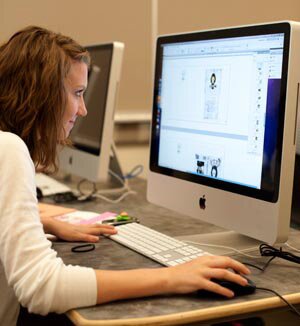
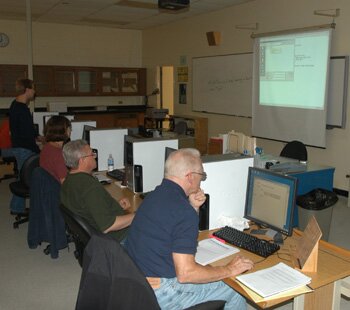
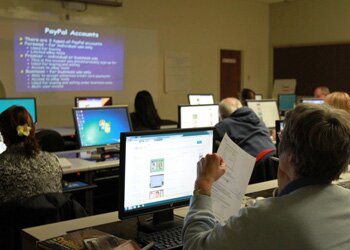
Current Hardware & Software... Train on fast state-of-the-art workstations running current software all with T-1 broadband access to the internet, in one of nine computer labs. All of Assabet’s labs have color overhead projectors or software that enables the instructor to project directly onto the student’s monitor.

Excellent Instructors... All our instructors have years of real world experience in the software they teach. Many are professional trainers, professors, or highly regarded graphic designers and web-specialists.

Hands-on Learning... Our courses are geared for working adults with busy
work and family schedules. We prefer to have you spend the majority of your class time “learning by doing.” All hands-on classes are one student to a computer.

Personal Computers - The basics13SCM01 - Personal Computers: The Basics

Have you been reluctant to join the computer age?  Now is the time to start! This course is designed for those individuals with little or no computer experience. We’ll proceed slowly, one step at a time, and use a combination of lecture and hands-on work to learn how the computer works and what it can do for you. Understanding computers can change your life.

This course will introduce you to four key elements of today’s computers:

  • You will learn how the computer works and what is meant by commonly used terms like memory, desktop, mouse, CD-ROM, DVD-RW, hard disk, etc.
  • Find out what an operating system is and why you need it. What is a window?
  • We’ll look at some of the most commonly used word processing and utility programs.
  • You will learn how to access and surf the world wide web, receive and process e-mails, and tackle spam and/or virus problems.

7 weeks/21 hours

Scott McKeown has over 15 years of computer software and hardware experience and is a Senior Network Administrator. Scott has been a web developer/designer for over 10 years.

Wednesdays, March 6 - May 1  
(No class April 10 and April 17) NOTE NEW END DATE
6:30 PM – 9:30 PM         Course Fee: $285


“I enjoyed learning many new things on the computer which helps me at home.” … “Scott is a good instructor – very patient.  He made things easy to understand and took time with each person so we weren’t left behind.” 

Students’ comments about Personal Computers: The Basics taught by Scott McKeown

Click here to register for Computer courses with our online registration system

Click here to register offline

Assabet After Dark - Continuing Education Course Catalog
Microsoft Windows 7 Operationg System: Hands On Workshop13SCM08 - Microsoft Windows 7 Operating System: Hands-On Workshop

Windows 7 has overtaken Windows XP to become the most widely used operating system. If you are thinking about upgrading to Windows 7, or if you recently purchased a new computer with Windows 7 installed, you probably have all kinds of questions. This one-evening, hands-on course will provide answers along with a review of many of the new features of Windows 7.

Topics include:

  • customizing your Windows 7 desktop - themes, gadgets, sticky notes, and other
    new bells and whistles
  • new taskbar features - pinning applications, changing icons and notifications
  • libraries and how to use them
  • the newly updated Media Center and its features
  • doing a search the Windows 7 way
  • improved accessory applications like the calculator and Paint
  • window shaking, window snapping, peeking, jump lists, and other handy new mouse tricks
  • new keyboard shortcuts  ... and more!

1 night/3 hours

Jennifer Richards is a professional computer trainer with more than 10 years of experience designing curriculum, developing training materials and on-line help, as well as presenting training classes. She earned a B.S. in Management Information Systems and trains in Microsoft Office products as well as proprietary software.

Thursday, February 28 
6:30 PM - 9:30 PM    Course Fee: $55


Click here to register for Computer courses with our online registration system

Click here to register offline

Assabet After Dark - Continuing Education Course Catalog
Microsoft Office Basics 13SCM02 - Microsoft Office Basics

Microsoft Office is the world’s best-selling integrated office solutions package and the one most commonly found in the workplace. This course is designed for computer beginners - no previous experience with Office is necessary.

The first night will be devoted to the basics of MS Windows, which is the operating system for personal computers. The following classes will be devoted to covering the basics of Word, Excel, and PowerPoint. This class will familiarize you with these widely used office programs and increase your value in the workplace.

Note: Solid mouse skills and a typing speed of at least 20 wpm is strongly recommended. This class is taught on PCs using Office 2010.

Topics include: 

  • Windows - creating, saving, opening, renaming, moving, copying, and deleting files and folders
  • Word - creating, opening, saving, editing, and printing documents; formatting fonts and paragraphs; using Word’s special tools to make word processing easier and more convenient
  • Excel - creating a spreadsheet, writing formulas, formatting spreadsheets, and charting basics
  • PowerPoint - creating and enhancing a presentation, running slide shows, working with graphics and charts

(Textbook required.  Title: Teach Yourself VISUALLY Office 2010 (paperback); Author: Kate Shoup; Publisher: Visual, 1st edition; ISBN: 9780470571934)
 
7 weeks/21 hours

Carol Diesel is a certified Microsoft Office User Specialist and has been teaching Microsoft Office classes for thirteen years.  She was a full-time software trainer for Productivity Point International in Newton, MA, and later for Catapult, Inc. in Dallas, TX.

Tuesdays, March 26 - May 14 (NOTE: NEW START/END DATES DUE TO 3/19 SNOW DAY)
(No class April 16)
6:30 PM - 9:30 PM    Course Fee: $325


Click here to register for Computer courses with our online registration system

Click here to register offline

Assabet After Dark - Continuing Education Course Catalog
Introduction to Microsoft PowerPoint for Windows13SCM27 - Introduction to Microsoft PowerPoint for Windows: 1 Day Workshop

If your job responsibilities include talking to groups or occasionally giving a presentation, you should learn to use PowerPoint. Why?  Because graphics, color, charts, pictures, video and sound engage the listener’s senses and foster retention. You’ll come across as a more confident and relaxed speaker and your message will be remembered!

PowerPoint is easy and user-friendly and can make the critical difference in whether your presentation is a hit or a miss. At the end of this workshop, you will be able to create dynamic presentations containing formatted text, backgrounds, basic animation and simple graphics. We’ll also discuss PowerPoint’s templates, tips and wizards.

Note: A familiarity with MS Windows is recommended before taking this course.

1 Saturday/3 hours

Jennifer Vecchi has been utilizing PowerPoint professionally for the past 15 years. In fact, she once used a PowerPoint presentation during a job interview to prove why she should be hired - and she was told one of the reasons she got the job was because she knew PowerPoint!  Jennifer teaches PowerPoint to her business colleagues on a regular basis as part of her company’s ongoing commitment towards skill-set training.

Saturday, April 13 
9:00 AM - 12:00 Noon  Course Fee: $99


Click here to register for Computer courses with our online registration system

Click here to register offline

Assabet After Dark - Continuing Education Course Catalog
PowerPoint: Beyond the Basics - 1 Day Workshop13SCM28 - PowerPoint: Beyond the Basics - 1 Day Workshop

Make your PowerPoint presentations more dynamic and engaging. In this workshop, you’ll learn how to use the advanced features available in Microsoft PowerPoint. Students will learn the do’s and don’ts of presentations and tips to keep their audience focused on content. PowerPoint can make the critical difference in conveying your message, whether it’s in the work place, classroom, or community meeting. PowerPoint is a must-have resume and computer literacy skill! 

Note: An introductory course or working knowledge of MS PowerPoint and familiarity with MS Windows is recommended before taking this course.

Topics include:

  • working with the Master Slide
  • creating your own PowerPoint templates
  • building hyperlinks to provide multiple presentation paths
  • embedding video, including YouTube videos
  • animating slide objects

1 Saturday/3 hours

Jennifer Vecchi has been utilizing PowerPoint professionally for the past 15 years. In fact, she once used a PowerPoint presentation during a job interview to prove why she should be hired - and she was told one of the reasons she got the job was because she knew PowerPoint!  Jennifer teaches PowerPoint to her business colleagues on a regular basis as part of her company’s ongoing commitment towards skill-set training.

Saturday, April 13 
1:00 PM - 4:00 PM   Course Fee: $99


Click here to register for Computer courses with our online registration system

Click here to register offline

Assabet After Dark - Continuing Education Course Catalog
 
Excel Basics13SCM03 - Excel Basics

To be productive in today’s workplace, spreadsheet skills are a must. Microsoft Excel gives you the ability to organize data, perform calculations, and graph your data in eye-catching and easy-to-understand graphs, charts, or reports. These tools help you analyze important numbers and data, make better decisions, and become more productive.

This introductory class will cover the basic and most commonly used features of Excel. It is a hands-on class that emphasizes learning by doing. Note: Windows experience, mouse skills, and 20 wpm keyboarding speed are required. This class is taught on PCs using Office 2010.

Topics include:

  • creating spreadsheets
  • using formulas and functions
  • editing data
  • formatting
  • charting
  • controlling access to information
  • sorting and filtering lists
  • pivot table basics

Each session will build upon prior sessions until every student feels confident in his/her skills. Students will have the opportunity to learn at their own pace.

(Textbook required.  Title: Teach Yourself VISUALLY Office 2010 (paperback); Author: Kate Shoup; Publisher: Visual, 1st edition; ISBN: 9780470571934)

7 weeks/21 hours

Carol Diesel is a certified Microsoft Office User Specialist and has been teaching Microsoft Office classes for thirteen years.  She was a full-time software trainer for Productivity Point International in Newton, MA, and later for Catapult, Inc. in Dallas, TX.

Thursdays, March 28 - May 23 (NOTE NEW END DATE)  
(No class April 18)
6:30 PM - 9:30 PM    Course Fee: $325


Click here to register for Computer courses with our online registration system

Click here to register offline

Assabet After Dark - Continuing Education Course Catalog
Excel Beyond the Basics: Pivot Tables and Charts13SCM06 - Excel Beyond the Basics: Pivot Tables and Charts

Spreadsheet skills are a must in today’s workplace but merely compiling all your data into a spreadsheet is one thing; making sense of it is another. PivotTables allow you to arrange information quickly and efficiently so you can examine it from various perspectives. Make your information work for you. 

Note: Students should have a working knowledge of Excel. This class is taught on PCs using Office 2010.

Topics include:

  • creating and building PivotTables
  • creating and working with field settings
  • grouping and using data in PivotTables
  • determining when to use a PivotTable vs. other Excel tools
  • creating and using Pivot Charts

2 weeks/6 hours

Carol Diesel is a certified Microsoft Office User Specialist and has been teaching Microsoft Office classes for thirteen years.  She was a full-time software trainer for Productivity Point International in Newton, MA, and later for Catapult, Inc. in Dallas, TX.

Thursdays, May 30 and June 6 (NOTE NEW DATES)  
6:30 PM - 9:30 PM    Course Fee: $110


Click here to register for Computer courses with our online registration system

Click here to register offline

Assabet After Dark - Continuing Education Course Catalog
Microsoft Access 2010 Basics13SCM04 - Microsoft Access 2010 Basics

Employees with database building skills are valuable and in demand. Learn a skill that will still be valuable and pay dividends years down the road. You don’t have to be a programmer to learn user-friendly MS Access!

Who should learn how to use MS Access?  Anyone who uses Excel or MS Office, managers, budget or data analysts, administrators, and small business owners looking to get rid of drawers full of paper files. If you deal with a lot of different data and transfer it from one file to another, you will definitely benefit from this course.

MS Access allows you to keep your data in one place, organize it, and update it directly from its source. You’ll encounter fewer errors this way and you can access the data from different sources. You can link your tables to other MS Office programs like Excel, Outlook, and Word. You’ll save a lot of valuable time.

This course is your first step in learning how to create and manage a database.

Prerequisites:  Students should have a solid background in MS Windows and MS Office.

Topics include:

  • introduction to databases
  • creating, customizing, and linking tables
  • navigating and updating records
  • creating and using queries and forms
  • creating and modifying reports
  • locating and filtering data
  • importing data from other databases and applications
  • dressing up your database

Put a valuable skill on your resume - register now.

(Textbook required. Title: Microsoft Access 2010: Illustrated Complete (paperback); Author: Lisa Friedrichsen; Publisher: Course Technology, 1st edition; ISBN: 053874717X)

8 weeks/24 hours

Aaron Vandesteen has been working in the technology sector for 11 years and has extensive application training skills in many Microsoft products.

Mondays, February 25 - April 29 NOTE NEW END DATE  
(No class April 15)
6:30 PM - 9:30 PM     Course Fee: $299


Click here to register for Computer courses with our online registration system

Click here to register offline

Assabet After Dark - Continuing Education Course Catalog
Email Essentials : Microsoft Outlook Tips13SCM26 - Email Essentials: Microsoft Outlook Tips

Many of us learn the basic features of MS Outlook 2010, but never fully master its full potential. This hands-on workshop will show you how to customize your Outlook settings. The workshop will save you time, make you more efficient, and give you valuable tips like how to keep your inbox, outbox, and trash bin cleaner and more organized. With a little color-coding and some automated rules, your email will practically be running itself!

This class is for both beginners and experienced users who simply haven’t had the time or opportunity to customize their email settings.

Topics covered in this workshop:

  • creating an email signature; putting a business card in your signature
  • handling attachments: sending, opening, and saving attachments
  • inserting a screenshot in an Outlook message
  • fine tuning Outlook’s Clean Up options
  • using Outlook’s advanced search features and options
  • utilizing colors to organize email
  • using Outlook’s reply and forwarding options
  • emailing follow up flags
  • managing mail with folders: creating, moving, deleting, and renaming folders
  • creating rules
  • creating a recurring appointment or event, scheduling a meeting, using calendar requests
  • creating a contact
  • Outlook’s mobile options: sending reminders, calendar, and messages to your mobile phone

1 night/3 hours

Jennifer Richards is a professional computer trainer with more than 10 years of experience designing curriculum, developing training materials and on-line help, as well as presenting training classes. She earned a B.S. in Management Information Systems and trains in Microsoft Office products as well as proprietary software.

Tuesday, March 26 (NOTE: NEW CLASS DATE DUE TO 3/19 SNOW DAY)
6:30 PM - 9:30 PM    Course Fee: $55


Click here to register for Computer courses with our online registration system

Click here to register offline

Assabet After Dark - Continuing Education Course Catalog
Apple Mac 10113SCM10 - Apple Mac 101

If you love your iPhone, iPad, and iPod, isn’t it time you discovered what makes the Apple Mac so cool and special?

This course will give you an easy-to-understand introduction to the Apple Mac computer. Whether you are using a Mac for business or pleasure, or whether you have come to the Mac from a PC background, this course will show you all you need to know to work on your Mac on a daily basis.

Topics include:

  • the Dock  - opening applications, adding items, dock shortcuts and preferences
  • the OS X operating system
  • Mac Utilities  - Dashboard, widgets, spotlight, address book, iCalc, fonts, printing, PDF documents, etc.
  • Finder - where files are kept, how to create folders, add music, use iTunes, add photos with iPhoto, and burn DVDs, etc.
  • email and internet  - connecting to the internet, email accounts, the Safari browser
  • Mac essentials - Did you know that the Mac is smart enough to update its own software?  Find out how!

Note: Please bring a three-ring binder to class.

7 weeks/21 hours

Brian Bednarski, BA in Visual Communication, is founder and creative director of Kettle Corn Studios, a media design studio.  Brian’s professional experience includes branding, marketing, graphic design, Adobe Creative Suite, and 3D animation and rendering.  Brian enjoys the simplified visual nature of Apple products and their intuitive user interface and enjoys sharing that with his students. 

Wednesdays, February 27 - April 10 
6:30 PM - 9:30 PM   Course Fee: $285


Click here to register for Computer courses with our online registration system

Click here to register offline

Assabet After Dark - Continuing Education Course Catalog
Really Useful iPad Tips and Tricks13SCM25 - Really Useful iPad Tips and Tricks

Do you own an iPad and find yourself frustrated at times?  Do you find searching for apps in the iTunes or App Store aggravating?  Most iPad users miss out on a lot of features. The iPad doesn’t come with a user’s manual and not everything is intuitive. This short workshop will teach you some very useful tips and tricks that will make you a smiling and smart iPad user!

Topics include:

  • touching the iPad, setting the rotation lock/mute toggle switch, multitasking, using the virtual keyboard (cut and paste, replacing a word, etc.)
  • using gestures to work faster, understanding iTunes and the iPad, syncing info and media files, iCloud, iTunes Match
  • searching for an app at the App Store
  • saving images to the iPad photo library
  • creating folders and importing folders of images onto the iPad using the Dropbox application
  • configuring your iPad, printing from your iPad with AirPrint
  • the iPad and email: using and organizing your email
  • connecting an iPad to an external display or HDTV
  • the iPad camera: importing and editing photos, Facetime, PhotoBooth
  • media and the iPad: using Home Sharing, AirPlay, copying media from an iPad to a computer
  • splitting the iPad’s on-screen keyboard in two so you can grasp the iPad with two hands and type with your thumbs
  • speed from app to app: shortcuts for jumping around apps without going to the home screen
  • taking screenshots
  • tips to stop struggling to read overcrowded web pages

2 weeks/6 hours

Jennifer Richards is a professional computer trainer with more than 10 years of experience designing curriculum, developing training materials and on-line help, as well as presenting training classes. She earned a B.S. in Management Information Systems and trains in Microsoft Office products as well as proprietary software.

Please note new date:  Thursdays, March 21 and March 28
6:30 PM - 9:30 PM    Course Fee: $99


Click here to register for Computer courses with our online registration system

Click here to register offline

Assabet After Dark - Continuing Education Course Catalog
Apple iPhone 4S Tips and Tricks13SCM23 - Apple iPhone 4S Tips and Tricks

Do you use an iPhone?  Do you get confused trying to navigate through all the myriad features?  This three-hour, hands-on workshop will familiarize you with iPhone essentials and teach you how to get the most from your phone.

During this workshop, you will learn to:

  • use keyboard tricks
  • add and remove applications
  • update contacts
  • manage email
  • create events, reminders, and notifications
  • work with playlists
  • get to know Facetime
  • use the photo feature
  • save images from the web
  • customize Siri to text your friend or call your spouse, remind you to do things, and create emails

1 night/3 hours

Jennifer Richards is a professional computer trainer with more than 10 years of experience designing curriculum, developing training materials and on-line help, as well as presenting training classes. She earned a B.S. in Management Information Systems and trains in Microsoft Office products as well as proprietary software.

Please note new make-up date:  Tuesday, March 12 
6:30 PM - 9:30 PM   Course Fee: $55


Click here to register for Computer courses with our online registration system

Click here to register offline

Assabet After Dark - Continuing Education Course Catalog
Graphic Design13SCM15 - Graphic Design Basics: How to Bring Your Ideas to Life

This introductory level course in graphic design is open to all students interested in developing computer graphics and learning the basics of graphic design and aesthetic theory. Whether you are interested in developing a portfolio of work, or taking on the graphic responsibilities needed in your current field, this course will help you develop clear, communicative, and attractive graphic design. It is also a terrific complement to other skills on your resume, including business, management, marketing, and communications.

This course offers practical and useful advice on how to work with graphics in reports, presentations, newsletters, and proposals in sophisticated, professional, and interesting ways. Have you ever wanted or needed to make posters, logos, business cards, stationery, invitations, greeting cards, or flyers for business or personal use?  This course will provide you with the skills and resources necessary to make your ideas a reality.

Topics include:

  • basic principles of graphic design
  • how to utilize visual design to put together effective communications that make a professional impression
  • Adobe In-Design basics - brainstorming, comps, execution, editing, presentation
  • Adobe Illustrator basics (vector graphics) - paths, shapes, strokes, Bezier curves, typography, color swatches, merging type and symbol, etc.
  • Adobe Photoshop basics -  selecting, copying, pasting, layers, blend modes, texture and pattern, space, scanning resolution for web vs. print, etc.

Note: Please bring a three-ring binder, a small sketch book, and at least a 4 GB flash drive to class.

8 weeks/24 hours

Brian Bednarski, BA in Visual Communication, is founder and creative director of Kettle Corn Studios, a media design studio.  Brian’s professional experience includes branding, marketing, graphic design, Adobe Creative Suite, and 3D animation and rendering.  Brian enjoys the simplified visual nature of Apple products and their intuitive user interface and enjoys sharing that with his students. 

Thursdays, February 28 - May 2 (NOTE: NEW END DATE DUE TO 3/7/13 SNOW DAY)
(No class April 18)
6:00 PM - 9:00 PM    Course Fee: $299


Click here to register for Computer courses with our online registration system

Click here to register offline

Assabet After Dark - Continuing Education Course Catalog
Adobe Photoshop CS613SCM16 - Adobe Photoshop CS6

If you are an aspiring web designer, graphic artist, or photographer, you need to know how to use Adobe Photoshop, the leader in digital imaging software. Designed for the beginner Photoshop user who wants to learn the photo manipulation techniques of the pros, this course will help users establish a working knowledge of the basics of Photoshop so they can explore this multi-faceted software at their own speed. We will cover such topics as correcting and enhancing digital photographs, working with selections, typography, layers, masks, channels, filters, and effects.

As you learn more about Photoshop, you may find yourself becoming inspired to start new projects. Bring these into class to work on during your practice time. Enjoy discovering the infinite potential of this software while further developing your own creative abilities.

Note: Students should have basic working knowledge and familiarity with computers.

(Textbook optional but is recommended. Title: Adobe Photoshop CS6 Classroom in a Book (paperback); Author: Adobe Creative Team; Publisher: Adobe Press, 1st edition; ISBN: 0321827333)

7 weeks/21 hours

Michael Koykka has a B.A. in Communi-cations from Fitchburg State University and is an award-winning graphic designer, illustrator, and webmaster with over 14 years of Photoshop experience. He is an Adobe Authorized Print Service Provider and is a graduate of the Adobe SuperPro training program.

Mondays, February 25 - April 8 
6:30 PM - 9:30 PM    Course Fee: $320


“I learned how much Photoshop can do. The instructor knows his stuff!” ... “Good class format. The review of previous class was helpful as was working on photo repair as a class.” 

Comments from students in Adobe Photoshop taught by Michael Koykka

Click here to register for Computer courses with our online registration system

Click here to register offline

Assabet After Dark - Continuing Education Course Catalog
Web Page Design with Dreamweaver Basics13SCM17 - Web Page Design with Dreamweaver Basics

Web page designers are a hot commodity in this economy. This course will provide an introduction to the website creation features available in Dreamweaver, a popular and versatile web page development software program. Build on this foundation with additional web courses and you will increase your value in the workplace.

Prerequisites:  Basic computer literacy and familiarity with the Internet.

Topics include:

  • Dreamweaver basics
  • creating a basic web page
  • creating pages from templates
  • designing a site
  • working with text and images
  • working with CSS
  • adding links and uploading sites
  • using tables

7 weeks/21 hours

Patti Scully-Lane has a B.F.A. in Photography and has over 15 years of experience in print and web design. She has designed brochures, book covers, newspaper special sections, marketing and sales collateral pieces, and web sites. For over ten years, she has been teaching Acrobat, Photoshop, Illustrator, InDesign, HTML, Dreamweaver, and QuarkXPress on Mac and PC platforms.

Mondays, February 25 - April 8
6:30 PM - 9:30 PM     Course Fee: $299


“This class provided a good general overview of many website development concepts using Dreamweaver and they were clearly communicated and reinforced in each class.” … “I learned WAY more than I thought I would.” … “I believe I will now be able to create a simple personal website.” 

Students’ comments from Patti Scully-Lane’s class Web Page Design with Dreamweaver Basics

Click here to register for Computer courses with our online registration system

Click here to register offline

Assabet After Dark - Continuing Education Course Catalog
HTML and Website Design13SCM18 - HTML and Website Design

Knowing HTML is necessary for people who are pursuing a technical profession or already working in one. There are countless uses for HTML such as building a department home page or creating an online resume. Regardless of how you use it, HTML will make you more marketable at work or in the pursuit of a new job.

This course is geared towards people who have never worked with HTML or who have experimented with it but not completely learned it. The focus is on website structure, webpage design, and project management. At the beginning of the course, you will create your own web-based resume. Later in the course, you will build a more sophisticated web site that resembles those built for business or organizations.

Note: Students should have basic computer skills. Home internet access is recommended but not required.

Topics include:

  • overview of how websites work on the Internet, including hardware and software
  • planning the HTML project, creating HTML files, working with an HTML editor
  • using HTML tags to create headlines, typeface styles, and paragraphs
  • creating lists, tables, forms, and links
  • adding images and image maps
  • using frames, styles, and cascading style sheets
  • publishing and updating web pages

8 weeks/24 hours

David MacMillan holds a degree in Applied Science from Kaplan University. He is a Clark CCI Certified Web Developer and a Microsoft Certified Professional. His professional experience includes Web and Application Development, Software Quality Assurance and Technical Support. He currently works as a Technical Support Engineer at Kofax.

Tuesdays, February 26 - April 30 (NOTE: NEW END DATE DUE TO 3/19 SNOW DAY)
(No class 3/26 but class WILL BE HELD April 16)
6:30 PM - 9:30 PM    Course Fee: $299


Click here to register for Computer courses with our online registration system

Click here to register offline

Assabet After Dark - Continuing Education Course Catalog
Drafting Basics with AutoCAD 201313SCM11 - Drafting Basics with AutoCAD 2013

As the economy recovers and competition heats up, companies must ramp up productivity in design and manufacturing technologies.  AutoCAD designers are widely used in the engineering, architecture and construction fields. This course is structured for the individual who has little to no drafting experience and has a desire to learn basic 2D CAD skills. The student will become familiar with drafting using AutoCAD 2013, one of the most widely used CAD programs in the industry. Obtaining a job as a CAD Drafter is the first step toward a career in computer aided drafting.

Students will be shown how to plan, set-up, and create two dimensional drawings. AutoCAD allows you to draw and edit lines, circles, and complex shapes, then copy, move, or modify those shapes in different ways. You will also learn how to move drawn objects between drawings. Allowances are made for independent students who bring their “real world” project(s) to class.
If time allows, in the final weeks of the course, students will be introduced to the Autodesk INVENTOR software. INVENTOR is a state-of-the-art solid modeling program widely used by companies that are changing to a total solid model environment.

Note: Although this is a basic drafting course, students should be familiar with creating and managing files.

(Textbook required. Title:
 Beginning AutoCAD 2013 Exercise Workbook (paperback); Author: Cheryl R. Shrock; Publisher: Industrial Press, May 15, 2012; ISBN: 0831134569)

7 weeks/42 hours

Phil Lacroix is a full-time drafting instructor with over 20 years’ experience using CAD. His engineering experience includes medical imaging and electronic packaging and his CAD experience includes AutoCAD, INVENTOR, and SolidWorks.

Mondays and Wednesdays
February 25 - April 22 (No class February 27, April 15 and April 17)  NOTE NEW END DATE  

6:00 PM - 9:00 PM    Course Fee: $585


Click here to register for Computer courses with our online registration system

Click here to register offline

Assabet After Dark - Continuing Education Course Catalog
SolidWorks: Introduction to 3D CAD13SCM13 - SolidWorks: Introduction to 3D CAD

Take your CAD skills into the third dimension with the industry standard Solid Modeler SolidWorks 2012. You’ll learn to model 3D parts and assemblies and generate engineering drawings according to best practices. You’ll learn the mechanics of the user interface in the context of the big picture: its overall logical structure, your own thought process, and industry’s need for stable models that can evolve with the design.

The goal of this course is to get you well on your way to being a SolidWorks professional. This requires your active participation: a minimum of six hours a week of practice outside the classroom.

Prerequisites: Students must be able to navigate between directories in Microsoft Windows, creating and saving files. Prior experience with another CAD package is
helpful.


10 weeks/30 hours

David Elliott is a Mechanical Engineer with design and manufacturing experience in a range of industries including aerospace, medical devices, and optics. He has been teaching SolidWorks at Assabet After Dark since 2003 and at WPI for three years.

Thursdays, February 28 - May 16 (NOTE: NEW END DATE DUE TO 3/7/13 SNOW DAY)
(No class April 18) 
6:30 PM - 9:30 PM     Course Fee: $410                       (Additional fee for text)


Click here to register for Computer courses with our online registration system

Click here to register offline

Assabet After Dark - Continuing Education Course Catalog
Buying and Selling on eBay13SCM20 - Buying and Selling on eBay

Do you have valuable items lying around your house or office?  Are you a hobbyist, collector, or dealer looking to add to your collection?  Do you have a business that could benefit from selling products in an online marketplace?  Do what millions of people around the world are doing - buy it and sell it on eBay!  This class will cover registration, site navigation, searching, buying, selling, providing customer feedback, and packing and shipping.

Prerequisite: Students should be registered as eBay users and comfortable using an internet browser.

Note: Many topics covered in the one-night course Sell It on eBay are also included in this course.

Topics include:

  • paying for and accepting payment for transactions
  • bidding effectively
  • starting a home-based business
  • analyzing markets for different items
  • creating attractive listings
  • improving listing format with simple HTML
  • including pictures of items for sale
  • keeping a positive feedback rating
  • receiving daily search results automatically
  • protecting against common security breaches such as spoofing and phishing

2 weeks/5 hours

Karen DaSilva has a Master’s degree from Bentley College and is a senior software engineer for a software company in Westborough. She has been buying and selling items on eBay since 1998.

Tuesdays, February 26 and March 5 
6:30 PM - 9:00 PM    Course Fee: $99


Click here to register for Computer courses with our online registration system

Click here to register offline

Assabet After Dark - Continuing Education Course Catalog
Sell It on eBay!13SCM19 - Sell It on eBay!

Do you have valuable items lying around your house or office?  Do you have a business that could benefit from selling products in an online marketplace?  Do what millions of people around the world are doing - sell it on eBay!  This course will concentrate on aspects of selling, which consist of taking photos of your items, listing items for sale, providing customer service, packing, shipping, and feedback.

Prerequisite: Students should be registered as eBay users and comfortable using an internet browser.

Note: Many topics covered in this course are also discussed in the two-night course Buying and Selling on eBay.

Topics include:

  • accepting payment for transactions
  • registering for PayPal online payment service
  • analyzing markets for different items
  • creating attractive listings
  • improving listing format with simple HTML
  • including pictures of items for sale
  • keeping a positive feedback rating
  • protecting against common security breaches such as spoofing and phishing

1 night/2.5 hours

Karen DaSilva has a Master’s degree from Bentley College and is a senior software engineer for a software company in Westborough. She has been buying and selling items on eBay since 1998.

Tuesday, March 12 
6:30 PM - 9:00 PM     Course Fee: $65


“It helped me learn about eBay by seeing the demonstration and walking through the different steps.” ... “Karen’s obvious experience came through.” ...
“I am an eBay buyer but have not ventured into selling.
I think I am confident enough to do it now.” 


Students’ comments from Karen DaSilva’s

Click here to register for Computer courses with our online registration system

Click here to register offline

Assabet After Dark - Continuing Education Course Catalog
Facebook for Holdouts: A Beginner's Workshop13SCM22 - Facebook for Holdouts: A Beginner's Workshop

Older folks are flocking to Facebook!  Women over 55 constitute the fastest-growing demographic, while the number of active users over the age of 35 nearly doubled. One big reason is that many of us have family scattered around the country or world. Facebook has become the best way to communicate. You can see what your kids or friends did yesterday, what they’re doing tomorrow, and what they’re doing right now. It’s like there’s no distance separating you.
Worried about your privacy?  Facebook added privacy controls that let you choose which friends see what information about you. Your college friends can see one version of your profile, your high-school friends another, and your family yet another. This hands-on course is for all of you still having trouble boarding the social media bandwagon.

We’ll walk you step-by-step through the following:

  • getting started (signing up)
  • finding friends
  • creating a profile
  • sending private messages
  • finding your way around Facebook
  • creating social events (such as holiday parties)
  • other popular features (photo albums, events, liking pages, etc.)
  • your privacy and security on Facebook

1 night/3 hours

Jennifer Ferrari has been using Facebook since its inception in 2004. Because her parents are in their mid-60s, she has had much experience educating older folks in basic and advanced Facebook applications and features. She is proficient in both Mac and Windows operating systems.

Tuesday, March 5
6:30 PM - 9:30 PM    Course Fee: $49                       (Couples: $75)


 “Jennifer was so well organized and did an excellent job presenting the material and answering questions.” 

Comments from students in the Facebook Workshop taught by Jennifer Ferrari

Click here to register for Computer courses with our online registration system

Click here to register offline

Assabet After Dark - Continuing Education Course Catalog
Online Job-Hunting Strategies13SCM24 - Online Job-Hunting Strategies

Learn the skills, tips, and tricks of landing a job through the internet in this workshop. Approximately 30% of external hires are found through job boards and 25% are from a company’s website. “Job seekers have more power than ever,” says Zack Grossbart, a virtual team coach and author of The One Minute Commute. “They aren’t relegated to another piece of paper in the stack of resumes - they can show off, brag and stand out.” 

Topics we’ll cover:

  • how to tap online resources to research the companies you’d most like to work for and for positions that you’re truly qualified to fill
  • how to maintain strong profiles on top sites that recruiters, human resource professionals, and hiring managers use every day
  • how to make sure of “people” search engines, once you have a contact
  • how to establish your “value proposition” - what you’ll do to make the company more money or save the company money
  • how to upload your resume; tips on how to customize your resume with job description keywords, how to use MS Word templates to create a professional, user-friendly resume quickly and easily; information about creating a video resume
  • finding and using Massachusetts-specific and occupation-specific job search sites
  • how to avoid online employment scams and mistake

1 night/3 hours

Jennifer Richards is a professional computer trainer with more than 10 years of experience designing curriculum, developing training materials and on-line help, as well as presenting training classes. She earned a B.S. in Management Information Systems and trains in Microsoft Office products as well as proprietary software.

Thursday, March 21 
6:30 PM - 9:30 PM    Course Fee: $55


Click here to register for Computer courses with our online registration system

Click here to register offline

Assabet After Dark - Continuing Education Course Catalog
Computerized Accounting with QuickBooks 201313SCM12 - Computerized Accounting with QuickBooks 2013

Do you work for a small business?  Are you still doing your bookkeeping with pencil and paper?  Learn how to automate your business with QuickBooks and become more productive.

Prerequisite:  Basic bookkeeping knowledge or work experience.

Topics include:

  • getting an overview of accounting concepts
  • learning how to convert your existing manual accounting system into a computerized system
  • entering customers, vendors, and current data from your existing system
  • setting up bills, invoices, and payroll
  • learning by using a realistic business accounting simulation with hands-on training
  • customizing a chart of accounts to give you meaningful financial reporting

8 weeks/20 hours

Linda Campbell is a certified QuickBooks ProAdvisor and President of Colonial Business Solutions.

Thursdays, February 28 - May 2 (NOTE: NEW END DATE DUE TO 3/7/13 SNOW DAY)
(No class April 18)
6:00 PM - 8:30 PM     Course Fee: $399

(Includes official QuickBooks text plus DVD with four-month trial software.)


Click here to register for Computer courses with our online registration system

Click here to register offline

Assabet After Dark - Continuing Education Course Catalog